Hi, I’m Ifytext Chibuzor. I'm an electrician. I have spent over 4 years working with prepaid meters, solar setups, and inverters. I started Housemeter to share real-life solutions to the everyday power issues many of us face with our prepaid meters — from token errors to meter tampering warnings and many others.
Hi, I’m Ifytext Chibuzor. I'm an electrician. I have spent over 4 years working with prepaid meters, solar setups, and inverters. I started Housemeter to share real-life solutions to the everyday power issues many of us face with our prepaid meters — from token errors to meter tampering warnings and many others.
How to reset Landis Gyr prepaid meter error 30 is a regular question that our readers have been asking, and we shall be answering the question today. Stay tuned; let’s go through it together.
Like other popular prepaid meter brands, Landis Gyr prepaid meters are not without errors. One such error is the Landis Gyr prepaid meter error 30, which occurs when there is a breach of communication between the meter’s customer interface unit and the meter itself.
To be able to use your meter without hitches, it makes sense to know how to reset Landis Gyr prepaid meter error 30 since the errors are inevitable. There are other factors that cause this error apart from communication issues, and the error 30 still has negative impacts on Landis+Gyr Gyr prepaid meter users.
Read also: Eskom prepaid meters
Landis GYR Prepaid Meter Error 30

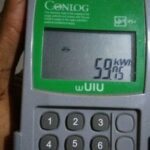
Landis Gyr prepaid meter error 30 is a kind of prepaid meter error that occurs on a Landis Gyr meter when there are communication issues between the keypad customer interface unit of your meter and the meter that is mounted outside.
This is normally due to the strain that the cable supplying power to the property passes through during the power transmission process, which may definitely affect the communication between the meter and the keypad in the house.
This means that if there is a bridge in communication between your Landis Gyr CIU and the meter system outside, you won’t be able to load your electricity token, which will result in this error 30. This error is common not only to Landis Gyr prepaid meters but also to other popular prepaid meter brands in South Africa and beyond.
Read: Hexing prepaid meter
Causes of Landis GYR Prepaid Meter Error 30
There are some factors that may cause Landis Gyr prepaid meter error 30. They include, but are not limited to,
- Communication issues between Landis Gyr Prepaid Meter and keypad
- Tampering or bypassing Landis Gyr Prepaid Meter
- Internal fault in Landis Gyr Prepaid Meter
- Landis Gyr prepaid meter software glitches.
Effects of Landis GYR Prepaid Meter Error 30
When your Landis GYR prepaid meter shows error 30, it is definitely going to affect you in one way or another. The effects are
- Disruption of power supply
- inconveniences due to lack of electricity
- Delayed electricity usage because you will need to resolve the issues in your neighborhood before you’ll be able to use the meter again.
How to Reset Landis GYR Prepaid Meter Error 30

At this point, I am convinced that you’ve understood the meaning, causes, and effects of the Landis Gyr prepaid meter error. Let’s continue with the discussion, where I will show you how to reset the error 30 to enable you to use your meter again. Follow the steps below to reset the error:
- Unplug your Landis Gyr prepaid meter’s CIU from power sources.
- Plug it into a socket that is closer to the meter outside the property.
- Remove all the appliances that are plugged in close to the keypad.
- Remove the keypad battery if it is weak.
- Now, you will need to unplug all other home appliances, like DSTV, WiFi routers, and fiber routers, one after the other, and switch them on systematically to check if any of them are causing the problem. If any, mark it for future reference.
- If the problem persists, you can still switch off your fluorescent lamps and try it again.
- Finally, once the meter and CIU initiate connection, it means that you have reset the error 30 and your meter is ready for use.
FAQ
How to reset a Landis & Gyr prepaid meter?
You can reset a Landis & Gyr prepaid meter by unplugging your CIU or removing the battery. Once you do that, you can plug it into the socket closer to your meter box outside and then remove all the appliances in your household and replug them again. Alternatively, you can hold your CIU buttons (4 & 3) together for about three minutes, and it will reset automatically.
Conclusion
Landis Gyr prepaid meter error 30 occurs when there are communication issues between the customer interface unit of the meter and the meter itself. This error has negative impacts on the users of the prepaid meter, but the good news is that it can be reset or fixed by following the troubleshooting measures outlined in this article.

Hi, I’m Ifytext Chibuzor. I'm an electrician. I have spent over 4 years working with prepaid meters, solar setups, and inverters. I started Housemeter to share real-life solutions to the everyday power issues many of us face with our prepaid meters — from token errors to meter tampering warnings and many others.